01
Batch processing
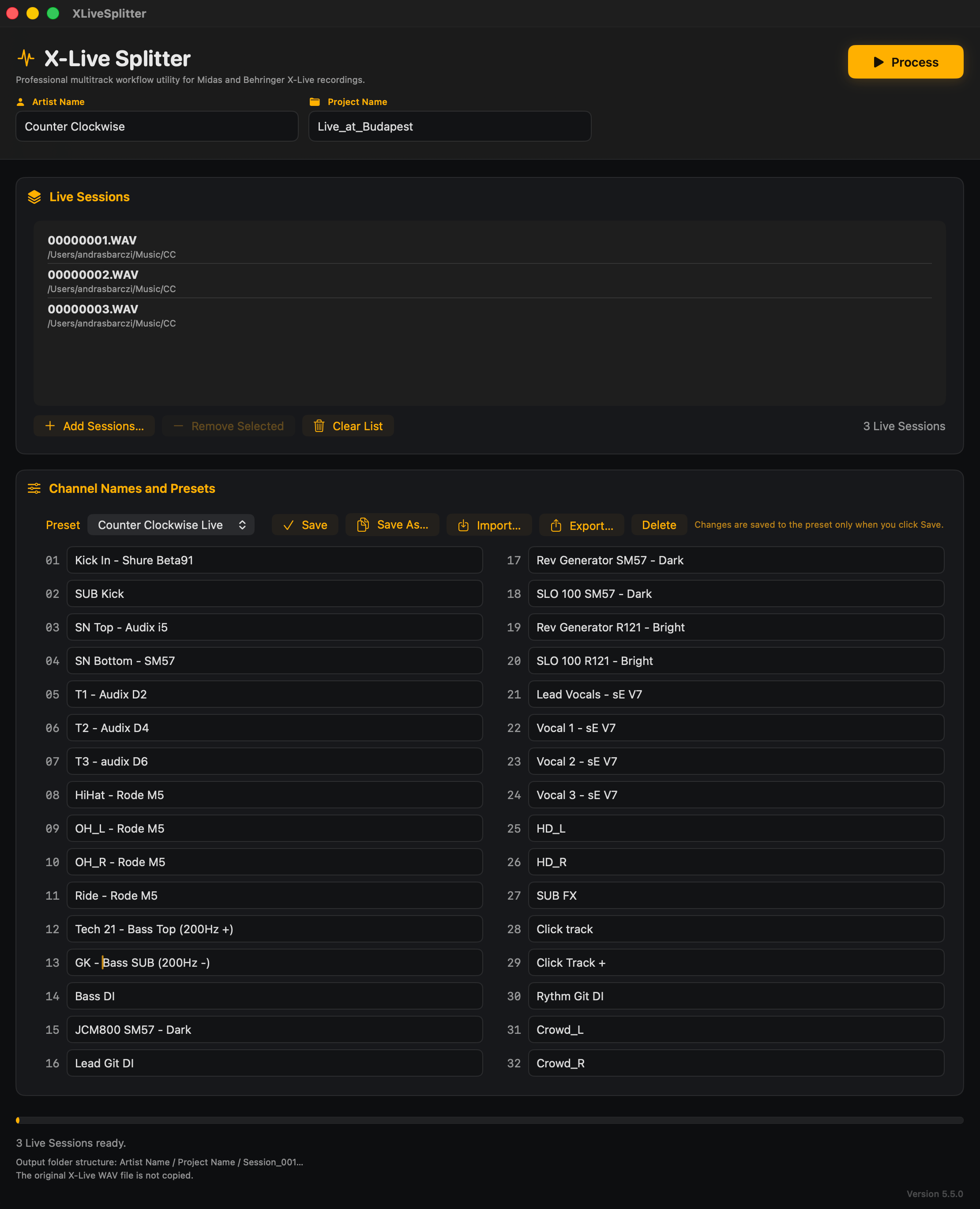
Process multiple X-Live recordings in a single operation instead of splitting every file manually.
The easiest way to split and automatically rename X-Live multitrack recordings into organized WAV files.
Features
X-Live Splitter handles the repetitive work between recording and importing your tracks into a DAW.
Process multiple X-Live recordings in a single operation instead of splitting every file manually.
Apply predefined channel-name presets and export clearly named WAV files ready for your DAW.
Add recordings directly to the application with a simple drag-and-drop workflow.
Keep recordings structured by band, project and session instead of sorting exported files afterward.
See immediately which recordings are waiting, processing or already completed.
A focused desktop application designed for a fast and uncomplicated macOS workflow.
How it works
A direct workflow without manual channel splitting, renaming or folder organization.
Drag one or more X-Live multitrack recordings into the application.
Apply predefined channel names and choose the destination project structure.
X-Live Splitter exports organized, individually named WAV files ready for your DAW.
Download
Download X-Live Splitter for macOS and process your first five recordings without purchasing a license.
Support
Everything you need to know before downloading and using X-Live Splitter.
X-Live Splitter is designed to process multitrack recordings created with the Behringer X-Live expansion card.
FFmpeg is included with the application, so no separate installation or technical setup is required.
Yes. You can add multiple recordings and process them as a batch instead of splitting each recording separately.
Yes. Channel-name presets can be created and reused so your exported WAV files follow a consistent naming convention.
The current version is designed for macOS. Windows support is not available at this time.
The application can be used five times before a license is required. No account is needed to start.